Cutting Real-Time Server Costs by 90% with the Durable Objects WebSocket Hibernation API
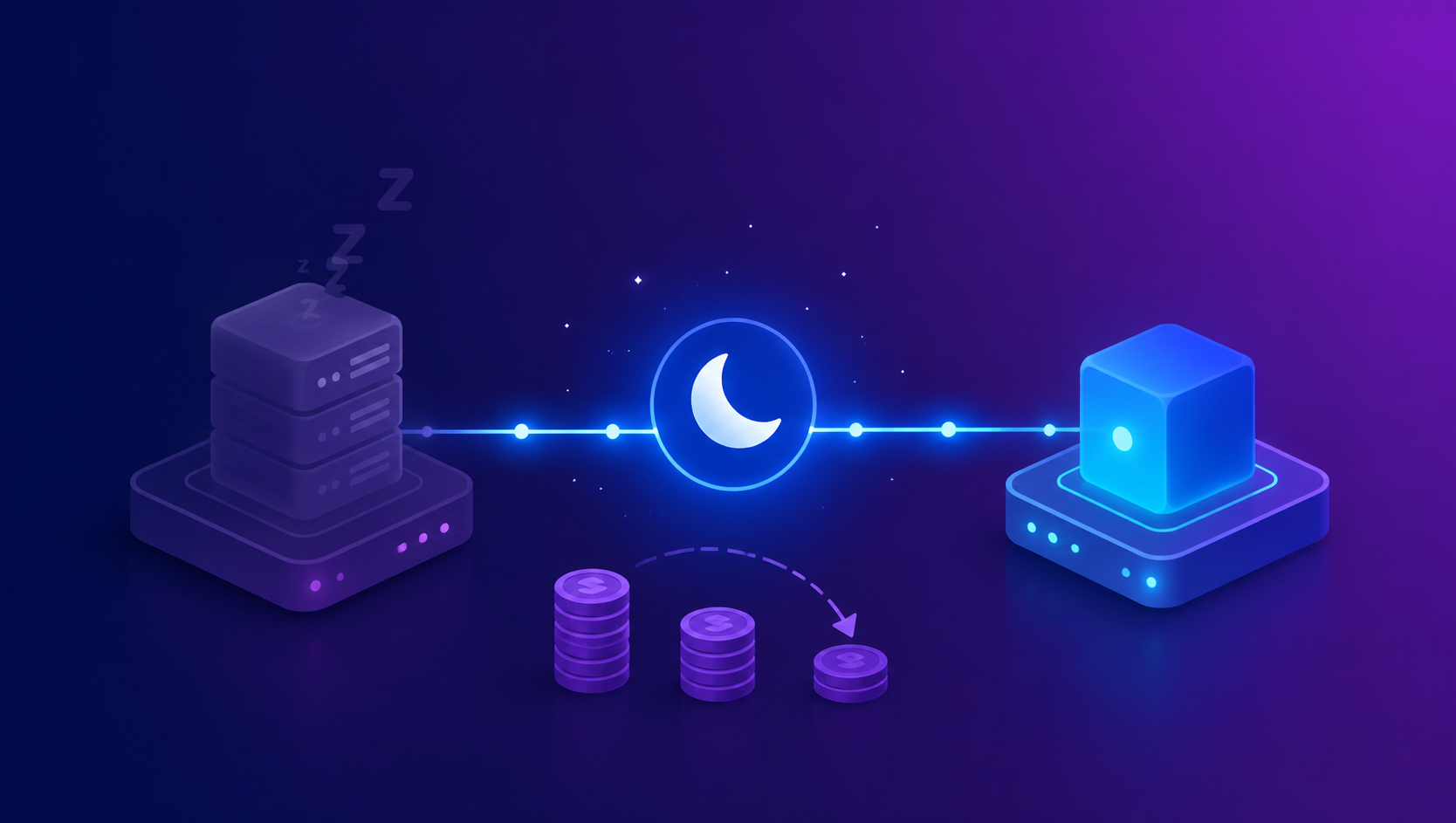
If you’ve ever built a real-time chat room or multiplayer game lobby on Durable Objects (DO), you’ve probably noticed something odd on the bill: Duration (GB-s) charges pile up at almost the same rate during the dead of night, when barely any messages are flowing, as they do during peak hours. Nine times out of ten, the culprit is standard WebSocket code built with the server.accept() + addEventListener pattern.
Key takeaways
- Durable Objects’ Duration (GB-s) billing is based on the wall-clock time the DO stays resident in memory — regardless of whether it’s actually doing any work.
- The standard WebSocket API (
ws.accept()+addEventListener) keeps the DO pinned in memory as long as even a single connection stays open, so charges keep accumulating even during idle periods. - The WebSocket Hibernation API (
ctx.acceptWebSocket()+webSocketMessage/webSocketClose/webSocketError) keeps the client connection alive at the Cloudflare network edge while evicting the DO instance itself from memory. No GB-s charges accrue at all while the DO is hibernating. - Plugging the official pricing (per the developers.cloudflare.com docs as of July 2026) straight into a simulation below, running 2,000 chat rooms/game lobbies at “moderate activity” (about one message per second) for a month shows total costs dropping by roughly 90.6%. The actual savings vary widely — anywhere from 49% to 98% — depending on traffic patterns.
Where it starts: why resident WebSockets cost money even when idle
Cloudflare’s official pricing docs define Durable Objects’ Duration billing this way: Duration is billed as wall-clock time for as long as the Object is active, or idle but not eligible for hibernation, and it’s calculated against the DO’s allotted 128MB of memory, regardless of actual memory usage. On the Workers Paid plan, 400,000 GB-s per month are included free, with overages billed at $12.50 per million GB-s.
The key trap here is what counts as “active.” In the standard pattern — creating a new WebSocketPair() inside a fetch() handler, calling server.accept(), and receiving messages via server.addEventListener("message", ...) — the DO has to keep its JS event listeners resident in memory to catch the next event. In other words, as long as even one client is connected, the DO instance can’t be evicted, even during stretches when no messages are actually flowing — and every one of those seconds gets billed as GB-s.
This is an entirely different axis from Workers’ CPU time billing. Workers Paid CPU time (30 million ms included per month, $0.02 per million ms beyond that) only charges for time your code is actually executing, but a DO’s Duration is billed even while it’s doing nothing but sitting idle. At 3am with nobody typing in the chat, or with a user who’s connected to a game lobby and walked away from their keyboard, the DO still has to stay alive — so the meter keeps running.
What exactly does the Hibernation API do
The WebSocket Hibernation API flips this structure on its head. Per the official docs, once a DO goes idle it gets “evicted from memory,” while “the WebSocket client remains connected to the Cloudflare network.” From the client’s perspective, the connection was never dropped, and ping/pong frames keep flowing normally. When a new event comes in (a message arriving, a connection closing, etc.), the runtime calls the constructor again to recreate the DO instance, handles that event, and puts it back to sleep.
From a billing standpoint, the single most important line is this: “No Duration (GB-s) charges accrue while hibernating.” In other words, GB-s only accumulates during the brief moments the DO is actually processing a message — the rest of the time, it’s free.
That said, hibernation doesn’t kick in just anytime. The docs spell out what prevents it:
- Alarms, incoming requests, and scheduled callbacks prevent hibernation.
- If you’re using
setTimeout/setInterval, the DO won’t hibernate as long as the timer is alive. - If even one WebSocket was accepted via the standard
ws.accept()(which doesn’t support hibernation), that connection alone keeps the DO awake.
Protocol-level ping/pong frames, on the other hand, are the exception. The docs explicitly note that “incoming ping frames are automatically answered with a pong, and this ping/pong handling does not interfere with hibernation.” That means the common pattern of “send a ping every 30 seconds via setInterval” is directly at odds with the Hibernation API — and in most cases, you can just remove it entirely.
Migrating from addEventListener to webSocketMessage/webSocketClose
The old code (no hibernation support)
export class ChatRoom {
  constructor(state, env) {
    this.state = state;
    this.sessions = new Map(); // ws -> { username }
  }

  async fetch(request) {
    const pair = new WebSocketPair();
    const [client, server] = Object.values(pair);

    server.accept(); // 표준 accept — 하이버네이션 불가
    this.sessions.set(server, { username: null });

    server.addEventListener("message", (event) => {
      this.broadcast(event.data);
    });

    server.addEventListener("close", () => {
      this.sessions.delete(server);
    });

    // 30초마다 ping — setInterval이 DO를 계속 깨워 둔다
    const heartbeat = setInterval(() => server.send("ping"), 30000);
    server.addEventListener("close", () => clearInterval(heartbeat));

    return new Response(null, { status: 101, webSocket: client });
  }

  broadcast(message) {
    for (const ws of this.sessions.keys()) ws.send(message);
  }
}
This code is common and looks perfectly natural, but both the in-memory this.sessions Map and the setInterval timer make the DO ineligible for hibernation.
Code with the Hibernation API applied
export class ChatRoom {
  constructor(ctx, env) {
    this.ctx = ctx;
    this.env = env;
    // 생성자는 하이버네이션 후 깨어날 때마다 다시 호출된다.
    // 인메모리 Map을 여기서 채우지 않고, getWebSockets()로 복원한다.
  }

  async fetch(request) {
    const pair = new WebSocketPair();
    const [client, server] = Object.values(pair);

    // ws.accept() 대신 acceptWebSocket() — 하이버네이션 가능
    this.ctx.acceptWebSocket(server);

    // 연결별 메타데이터는 attachment로 저장 (최대 16,384바이트)
    server.serializeAttachment({ username: null, joinedAt: Date.now() });

    return new Response(null, { status: 101, webSocket: client });
  }

  // addEventListener 대신 DO 클래스 메서드로 정의
  async webSocketMessage(ws, message) {
    const data = JSON.parse(message);
    const meta = ws.deserializeAttachment() ?? {};

    if (data.type === "join") {
      meta.username = data.username;
      ws.serializeAttachment(meta);
    }

    this.broadcast(JSON.stringify({ from: meta.username, text: data.text }));
  }

  async webSocketClose(ws, code, reason, wasClean) {
    ws.close(code, reason);
  }

  async webSocketError(ws, error) {
    // 비정상 종료 로깅 등
    console.error("WebSocket error:", error);
  }

  broadcast(message) {
    for (const ws of this.ctx.getWebSockets()) ws.send(message);
  }
}
To summarize what changed:
server.accept()→this.ctx.acceptWebSocket(server)addEventListener("message", ...)→ theasync webSocketMessage(ws, message)class methodaddEventListener("close", ...)→async webSocketClose(ws, code, reason, wasClean)- Error handling is split out into
async webSocketError(ws, error) - The in-memory
Mapused to track sessions is replaced withthis.ctx.getWebSockets()(fetches every connected socket) andws.serializeAttachment()/ws.deserializeAttachment()(per-connection metadata, up to 16,384 bytes, serialized via structured clone) - The
setIntervalheartbeat is removed entirely — ping/pong is handled automatically by the runtime at the protocol level
In wrangler.toml, using a SQLite-backed DO is the currently recommended path.
[[durable_objects.bindings]]
name = "CHAT_ROOM"
class_name = "ChatRoom"

[[migrations]]
tag = "v1"
new_sqlite_classes = ["ChatRoom"]
The chat room / game lobby pattern: coordinating many clients with a single DO
Whether it’s a chat room or a turn-based/real-time multiplayer game lobby, the pattern is the same: map one room to one DO instance, and have that single DO hold the WebSockets for every client connected to that room. In this setup, ctx.getWebSockets() returns exactly “every client in this room,” so you can broadcast without any extra tagging or filtering logic.
For a game room, you’d apply the input received in webSocketMessage to the game state, then iterate over getWebSockets() every tick (or on every input) to fan out a snapshot. Keep in mind, though, that a single DO has a known soft throughput limit of around 1,000 req/s, and incoming message size is capped at 32MiB. If you try to handle a very large room (hundreds to thousands of concurrent connections) with a single DO, you’re likely to hit these limits first — for large-scale rooms, consider sharding across multiple DOs or batching your broadcast fan-out.
Per-session state (nickname, team, character position, etc.) attached to the WebSocket object via serializeAttachment survives across hibernation cycles. Keep in mind, though, that attachments are capped at 16,384 bytes, so growing data like full room state or chat logs shouldn’t go here — that belongs in the DO’s persistent storage (this.ctx.storage) instead.
Strategies for restoring state after waking from hibernation
What survives, and what disappears
Hibernation wipes out the DO instance — the JavaScript object and the variables inside it — not the connection or any persistent data. To summarize:
- What survives: the WebSocket connection itself (clients never notice a disconnect), per-connection metadata saved via
serializeAttachment(up to 16KB), and persistent data written tothis.ctx.storage. - What disappears: in-memory
Map/Set/plain variables created in the constructor, any in-flightsetTimeout/setIntervaltimers, and state captured in closures.
So the heart of the migration is redesigning your state management so it’s fine to have everything rebuilt from scratch in the constructor. In practice, that usually breaks down into:
- Short-lived metadata needed only per connection (nickname, color, last heartbeat time, etc.) →
serializeAttachment - State shared across the whole room but recomputable (current connection count, list of online users) → reconstruct it on the fly in the constructor by iterating
this.ctx.getWebSockets()and reading each socket’s attachment - Data that has to persist permanently (chat history, game scores, room settings) → store it in the SQLite backend via
this.ctx.storage.get/put
export class ChatRoom {
  constructor(ctx, env) {
    this.ctx = ctx;
    // 인메모리 캐시는 "복원 가능한 뷰"로만 취급한다.
    // 실제 참조는 필요할 때마다 getWebSockets()로 다시 얻는다.
  }

  onlineUsernames() {
    return this.ctx.getWebSockets()
      .map((ws) => ws.deserializeAttachment()?.username)
      .filter(Boolean);
  }
}
Leave heartbeats to the protocol level instead of setInterval
As mentioned earlier, protocol-level ping/pong is handled automatically by the runtime and doesn’t interfere with hibernation. If you genuinely need an application-level custom heartbeat to check “is this user still alive,” don’t implement it directly with setInterval — instead, use the DO’s alarm API to wake up periodically and check state. Alarms also prevent hibernation, but unlike setInterval, they don’t pin the DO down permanently; the DO can wake briefly at the scheduled time and go right back to sleep.
CPU execution limits still apply
The webSocketMessage handler is, after all, still code running on the Workers runtime, so the CPU time limit (30 seconds by default, adjustable up to 5 minutes via limits.cpu_ms in wrangler.toml) still applies. Running heavy synchronous operations (large sorts, compression, etc.) inside a message handler can hit this limit, so be careful.
Cost comparison: always-on DO vs. hibernation-enabled DO
Pricing structure (Workers Paid plan, per official docs as of July 2026)
| Item | Free allowance | Overage rate |
|---|---|---|
| Requests (HTTP requests, RPC, WebSocket messages, alarms) | 1M/month | $0.15 per million |
| Duration (GB-s, wall-clock, fixed at 128MB) | 400,000 GB-s/month | $12.50 per million GB-s |
| SQLite storage | 5 GB-month | $0.20 per GB-month |
| SQLite row reads | 25B rows/month | $0.001 per million rows |
| SQLite row writes | 50M rows/month | $1.00 per million rows |
The Workers Paid plan itself has a $5/month base fee that includes 10 million requests and 30 million ms of CPU, with DO billing layered on top of that separately. (For reference, SQLite-backed DOs are also usable on the Workers Free plan under daily limits — 100,000 requests/day, 13,000 GB-s Duration/day, 5 million row reads/day, 100,000 row writes/day, 5GB storage — so the free plan is plenty for prototyping.)
Calculation model and assumptions
The figures below are not captured from a real invoice — they’re a simulation obtained by plugging values straight into the official pricing formula above. It uses the same formula Cloudflare itself uses in its pricing examples (active seconds × 128MB/1GB = GB-s).
- Running 2,000 chat room/game lobby DOs continuously for 30 days (2,592,000 seconds)
- Always active (no hibernation): at least one person is connected to each room at all times, so the DO stays resident in memory for the entire month
- Hibernation enabled: assuming each room averages 1 message per second, and processing each message (including broadcast) takes an average of 10ms — in this case the DO is “awake” for only about 1% of total time.
Results
| Scenario | Duration cost/month | Request cost/month (same for both) | Total/month |
|---|---|---|---|
| Always-active DO | $8,289.40 | $777.45 | $9,066.85 |
| Hibernation-enabled DO | $77.94 | $777.45 | $855.39 |
Total cost savings of roughly 90.6% — meaning the “90%” in the headline isn’t an exaggeration cherry-picked from one specific scenario; it’s a number you actually reach at a perfectly ordinary activity level of about one message per second.
Savings vary depending on traffic pattern
Using the same 2,000 DOs and the same calculation formula, just varying message frequency produces dramatically different savings.
- Low frequency (chat rooms, turn-based games; averaging 1 message per 5 seconds, 15ms processing): total cost $8,444.77 → $175.25, savings of about 97.9%
- Medium frequency (1 message/second, 10ms processing): total cost $9,066.85 → $855.39, savings of about 90.6%
- High frequency (10Hz real-time game tick, 5ms processing): total cost $16,065.25 → $8,185.57, savings of about 49.0%
The pattern is clear: the Duration savings themselves are almost always large regardless of traffic (Duration alone drops by more than 99% in all three scenarios above), but as message frequency rises, request billing takes up a bigger share of the total cost, which pulls down the overall savings rate. For a high-frequency real-time game broadcasting state dozens of times per second, optimizations that reduce the messages themselves — lowering the tick rate, delta compression, interest management — contribute more to cost savings than adopting the Hibernation API alone.
Migration checklist and common pitfalls
- Have you replaced every
ws.accept()call withthis.ctx.acceptWebSocket(ws)? - Have you moved
addEventListener("message"/"close")into thewebSocketMessage/webSocketCloseclass methods, and addedwebSocketErroras well? - Have you removed the in-memory session Map from the constructor, and moved whatever’s needed into
serializeAttachment(per-connection, 16,384-byte limit) orthis.ctx.storage(persistent, room-wide)? - Have you removed application-level
setInterval/setTimeoutheartbeats or replaced them with the alarm API — and first reconsidered whether you actually need a custom heartbeat, given that protocol ping/pong is handled automatically by the runtime? - Are you avoiding cramming a large-scale room (hundreds to thousands of concurrent connections) into a single DO? Check the soft limit of 1,000 req/s and the 32MiB message size cap.
- Have you added a
new_sqlite_classesmigration inwrangler.tomlto switch to the SQLite backend (the combination Cloudflare recommends pairing with the Hibernation API)? - Make sure no heavy synchronous computation is left inside
webSocketMessagethat could hit the CPU limit (30 seconds by default).
Wrapping up
Plain addEventListener-based WebSocket code isn’t bad code. It’s just a poor match for Durable Objects’ billing model. A DO charges for every second it stays powered on, and the standard WebSocket API keeps it powered on for as long as the connection is alive. The Hibernation API decouples the two, eliminating this structural waste by keeping the connection at the edge while letting the compute sleep.
The migration itself isn’t large in terms of API surface area: accept() → acceptWebSocket(), event listeners → class methods, in-memory state → attachments/storage. But most of the actual work lies in threading the assumption that “the constructor can be called again at any time” throughout your codebase, and in rooting out hidden timers — like custom heartbeats — that block hibernation. Working through the checklist above one item at a time, you can realistically expect savings in the neighborhood of 90% for idle-heavy workloads like chat and turn-based games, though the exact number depends on your traffic pattern.